Keep the whole build connected.
Workshop turns every build into one durable record: the plan, the cut list, the optimized board layout, the materials, the progress photos, and the finish schedule. It stays legible from first idea to final coat.
- Web app
- Online and account-backed
- Read-only demo available
Web delivery: Workshop is an online, account-backed workspace. It is not an installable or offline PWA, and it does not promise background reminders.
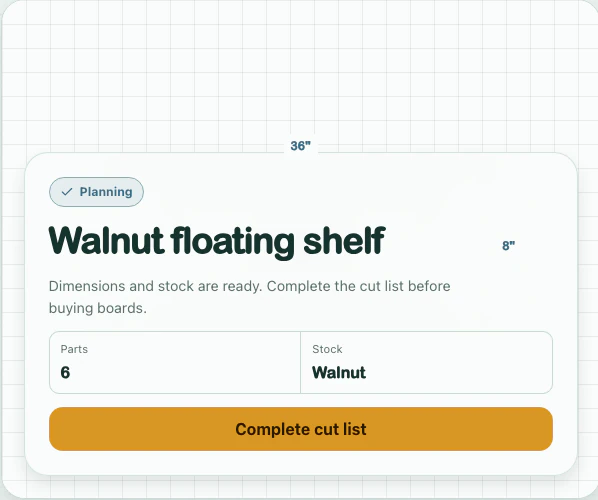
One record from plan to finish.
The project stays editable at every stage; generated structure never replaces the maker’s judgment.
Capture
IdeaPaste a plan URL from Kreg, Ana White or Shaper Hub and it comes back as a structured project — title, difficulty, wood types, and a cut list with real dimensions. Everything arrives pre-filled and stays editable.
Plan the cuts
PlanningThe optimiser runs a real board-layout pass over your parts — kerf and stock dimensions included — and shows the boards it would buy and the offcuts it would leave. Print it as a monospace manifest or export the sheets as a PDF.
Build
In progressA timestamped build log with photos, a materials list that rolls up into one shopping list across every active project, and finish records for the stain and topcoat schedule — including the recoat window.
Keep the record
CompleteThe record outlives the build. Come back in two years and the dimensions, the offcuts, the finish schedule and the photographs are all still there — and any project can be saved as a template and cloned into the next one.
What the web workspace holds.
Each tool stays connected to the same browser-based project record.
| Section | Detail |
|---|---|
| Cut list | Parts with fractional dimensions, quantities, material, and kerf. |
| Cut plan | A guillotine packing optimiser over your real stock, with yield and offcuts. |
| Materials | Per-project material lists that consolidate into one shopping list. |
| Build log | Timestamped entries with photographs of the work as it happened. |
| Finish records | Stain, topcoat, application notes, and the schedule behind each finish. |
| Shaper Hub | A parallel project type for CNC work — parts, bit info and design files. |
| Notebook | An editable window onto Tabloom, synced as Markdown both ways. |
| Conversion tables | A live mm ↔ inch calculator and fractional reference tables. |
| Templates | Save any project as a template and clone it into a fresh build. |
| Command palette | Search and navigate the whole shop record from ⌘K. |
| Account controls | Sign in with Microsoft, download a JSON project summary, or permanently delete the current workspace from Settings. |