The notebook that
thinks with you.
Capture fast, find later. A calm editorial workspace with rich blocks, archive and restore, bounded offline reading, smart tagging, and AI-assisted retrieval.

Everything you need to think clearly.
Built around the way ideas actually work — quick capture, deep reading, and fast retrieval.
Inkbox
Snap a photo of your handwritten notes. AI reads the handwriting and files a clean typed page instantly.
Rich Block Editor
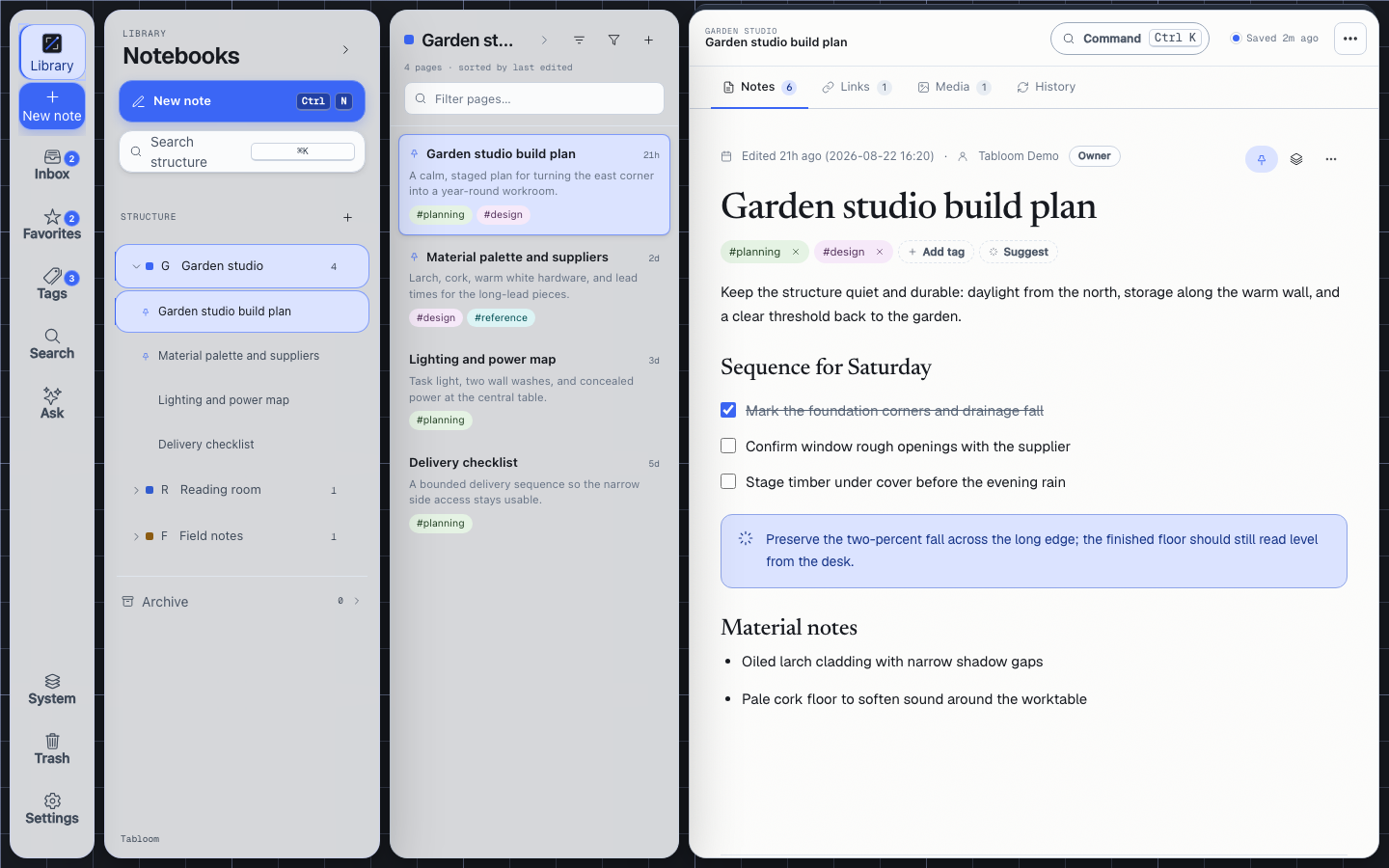
Headings, checklists, callouts, tables, images — every block you need. Keyboard-first with a slash menu.
Ask Your Notes
Semantic AI search across every page. Ask a question, get an answer grounded in your own writing.
Smart Notebooks
Organize everything into notebooks. Drag to reorder, share with collaborators, keep private.
Tags & Discovery
Cross-notebook tagging with color coding. Filter across everything with a single click.
Link Inbox
Save URLs with titles and snippets auto-fetched. Your reading list, research, clipped articles.
Version History
Every edit is tracked. Restore any previous version of any page with a single click.
Archive & Restore
Archive pages or whole notebook trees, review them in one place, and restore only what your role allows.
Offline Reading
Explicitly download selected notebooks or recent pages into identity-scoped IndexedDB for bounded, read-only use.
Paper notes,
instantly digital.
Snap a photo of any handwritten page. Tabloom reads the handwriting with Claude AI, generates a smart title, and files a clean typed page in your Inkbox notebook — with the original scan and a PDF transcript attached.
- Works on any phone — just tap the camera icon
- Handles cursive, messy, and mixed handwriting
- Auto date-tagged and full-text searchable
- PDF transcript generated automatically
Your notes have a memory.
Now they can answer.
Ask your notes anything in plain English. Tabloom uses semantic embeddings to find the most relevant pages and streams a grounded answer — not a generic LLM response, but your own thinking, surfaced.
- Semantic search over every page you've written
- AI summarize, rewrite, expand or shorten any selection
- Auto-suggest tags and notebooks as you write
Secure single sign-on with your existing identity — no new password to remember.
Responsive on mobile, tablet, and desktop, with explicit read-only offline downloads in the PWA.
Every keystroke synced. A status pill tells you exactly when.
A warm dark theme that's easy on the eyes for late-night writing.
A workspace that grows with you.
Everything you capture — typed, scanned, clipped, archived, or explicitly downloaded for offline reading — organized and ready when you are.
Need help? Visit Tabloom Support, read thePrivacy Policy, or review theNintek Terms.